SOURCE: https://repo.noop.re/drops/dic
If you use Docker Compose for more than a week, you know the moment: images get old, CVEs keep coming, upstream releases ship regularly, and you do not want to run docker compose pull && docker compose up -d manually for everything.
The problem is that full automation can hurt too, especially when an update fails and you get a surprise in the middle of the night.
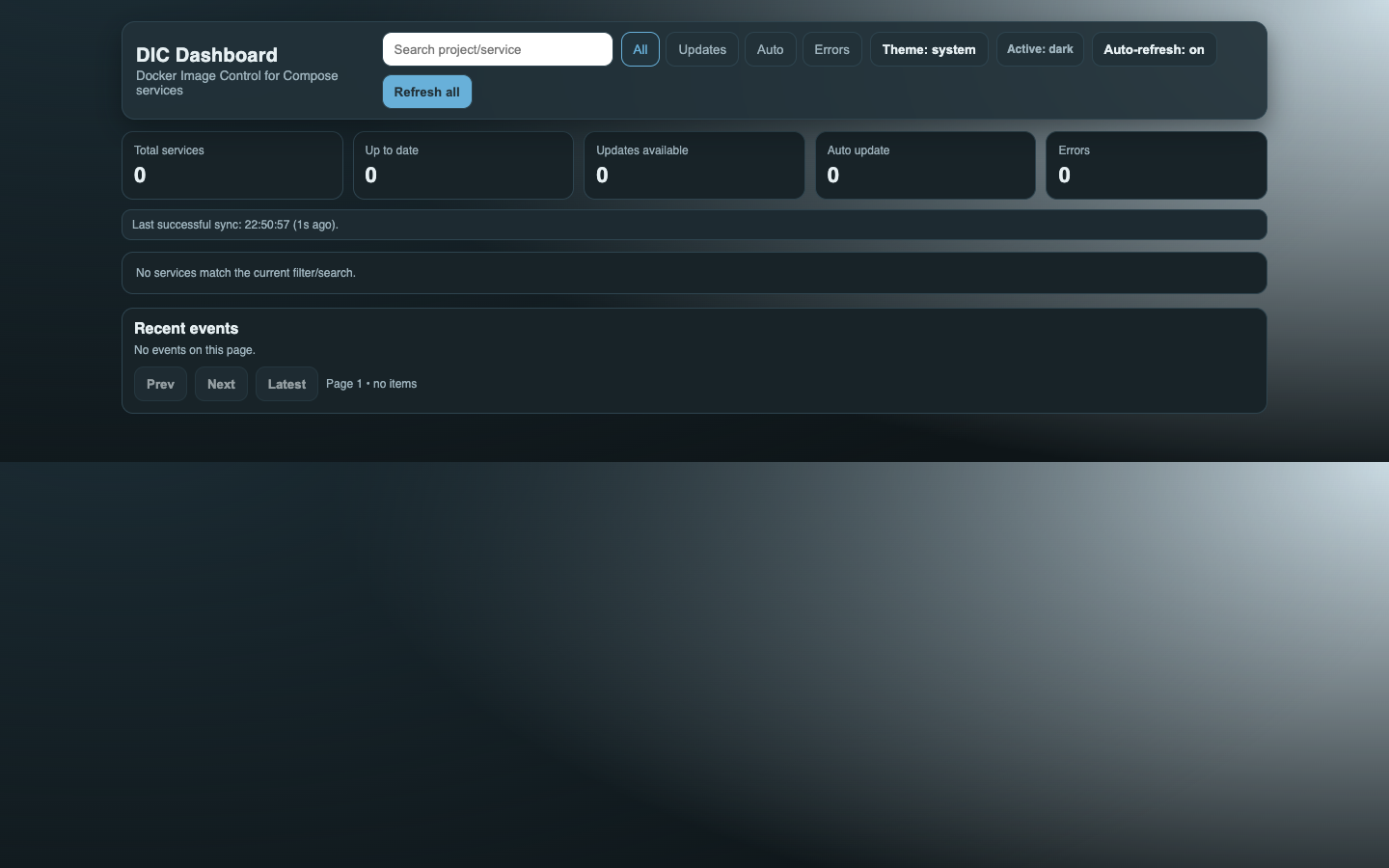
That is exactly where DIC (Docker Image Control) fits: a local service for monitoring Compose images, with notifications, manual control, and optional per-service auto-update.
What DIC Actually Does
DIC runs as a lightweight service connected to docker.sock. It scans Compose services, checks whether a newer image is available for a tag, and stores the current state.
That part is standard. The difference is what you can do next:
- enable or disable monitoring per service via label (
dic.enable) - decide auto-update per service (
dic.autoupdate) - control notifications per service (
dic.notify) - use a web panel and API for manual actions (
refresh,update) - keep event and update history in SQLite
- expose Prometheus metrics for operational monitoring
This gives you a practical balance: automation where you want it, control where you need it.
Why Not Just Watchtower or DIUN?
Watchtower and DIUN are both great tools, but they focus on different problems. In short: DIC is more operator-centric for Compose.
DIC vs Watchtower
Watchtower is primarily an automatic container updater, which is great when your goal is to keep everything fresh with minimal hands-on work.
DIC goes further toward day-to-day operations:
- DIC: panel + API with per-service actions (
/api/services/:id/refresh,/api/services/:id/update) - Watchtower: HTTP API is mainly a global update trigger (
/v1/update) - DIC: per-service policies via dedicated labels (
dic.enable,dic.autoupdate,dic.notify) - DIC: explicit rollback flow and rollback events
If your goal is not only “update” but “update with control,” DIC gives you more operational tools.
DIC vs DIUN
DIUN is excellent as an image update notifier, with broad provider support (Docker, Kubernetes, Swarm, Nomad, and more) and many notification channels.
DIC is more specialized:
- focused on Docker Compose
- combines detection + update actions in one place
- provides an operational UI/API rather than notifications only
- stores history and state locally (SQLite), with Prometheus metrics
In short: DIUN is a great radar, while DIC is more like an operator console for Compose.
Key Differences (TL;DR)
| Area | DIC | Watchtower | DIUN |
|---|---|---|---|
| Primary role | Monitoring + controlled Compose updates | Automatic container updates | Image change notifications |
| UI | Yes (web panel) | No (CLI/logs + API) | No (config + notifications) |
| Per-service action API | Yes | Mainly global update trigger | Not in this model |
| Per-service policy | Yes (dic.* labels) |
Container selection + runtime options | Advanced watch/config model |
| Rollback flow | Explicit, built into update logic | Depends on scenario | Not applicable (notifier) |
| Persistent local history | Yes (SQLite) | Mostly logs | Own DB/config model |
| Platform scope | Compose-first | Docker-first | Multi-provider (Docker/K8s/Swarm/Nomad/…) |
How Updates Work in DIC (and Why It Matters)
The most practical part: DIC performs updates cautiously.
- pull the new image
- stop the old container (if running)
- rename the old container as backup
- create/start the new container with recreated configuration
- verify the container is running or healthy
- remove backup container
If anything fails along the way, DIC triggers rollback and records the event. It sounds boring, but these boring mechanisms save weekends.
Who DIC Is For
DIC is a good fit if you:
- mainly run Docker Compose
- want auto-update only for selected services
- want quick manual override through UI or API
- care about local history and metrics
If you need to monitor Docker + Kubernetes + Swarm + Nomad at the same time, DIUN is naturally broader. If you want a simple “autoupdater and forget” model, Watchtower may be enough.
Quick Start
wget https://repo.noop.re/drops/dic/raw/branch/main/docker-compose.yml
wget -O .env https://repo.noop.re/drops/dic/raw/branch/main/.env.example
docker compose pull
docker compose up -d
By default, the panel is at http://localhost:8080, metrics at http://localhost:8080/metrics, and readiness at http://localhost:8080/readyz.
You will get the most value by labeling services clearly from the start:
dic.enable=falsefor services you do not want checkeddic.autoupdate=truewhere automatic updates are safedic.notify=falsewhere you want less notification noise
Summary
DIC does not try to be everything for everyone. It solves a specific reality: Docker Compose operations where update control matters.
If you want “updates with control, not updates by hope,” DIC is a strong middle ground between a pure auto-updater and a pure notifier.
If you want, I can also prepare a second version in a more personal “founder blog” tone (same content, different voice).